

Eyeball Style Cameras (eg: ICIP-D2000-IR, D4005-IR)
To perform the factory reset function, make sure the device is powered then press and hold the reset button for at least 35 seconds. The camera will reboot when the factory reset is successful.
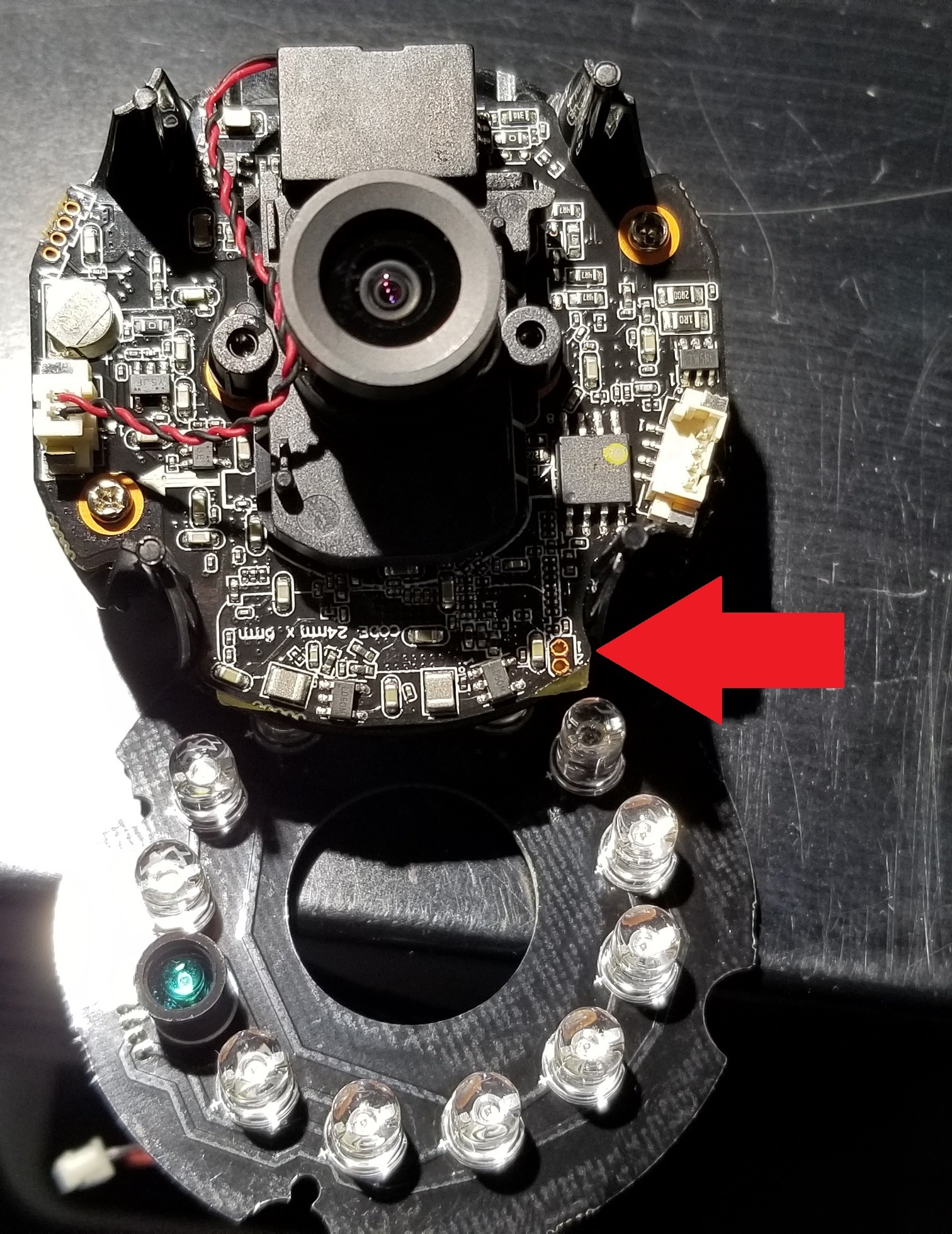
There are two possible reset location for these cameras.
1) Side Reset Button
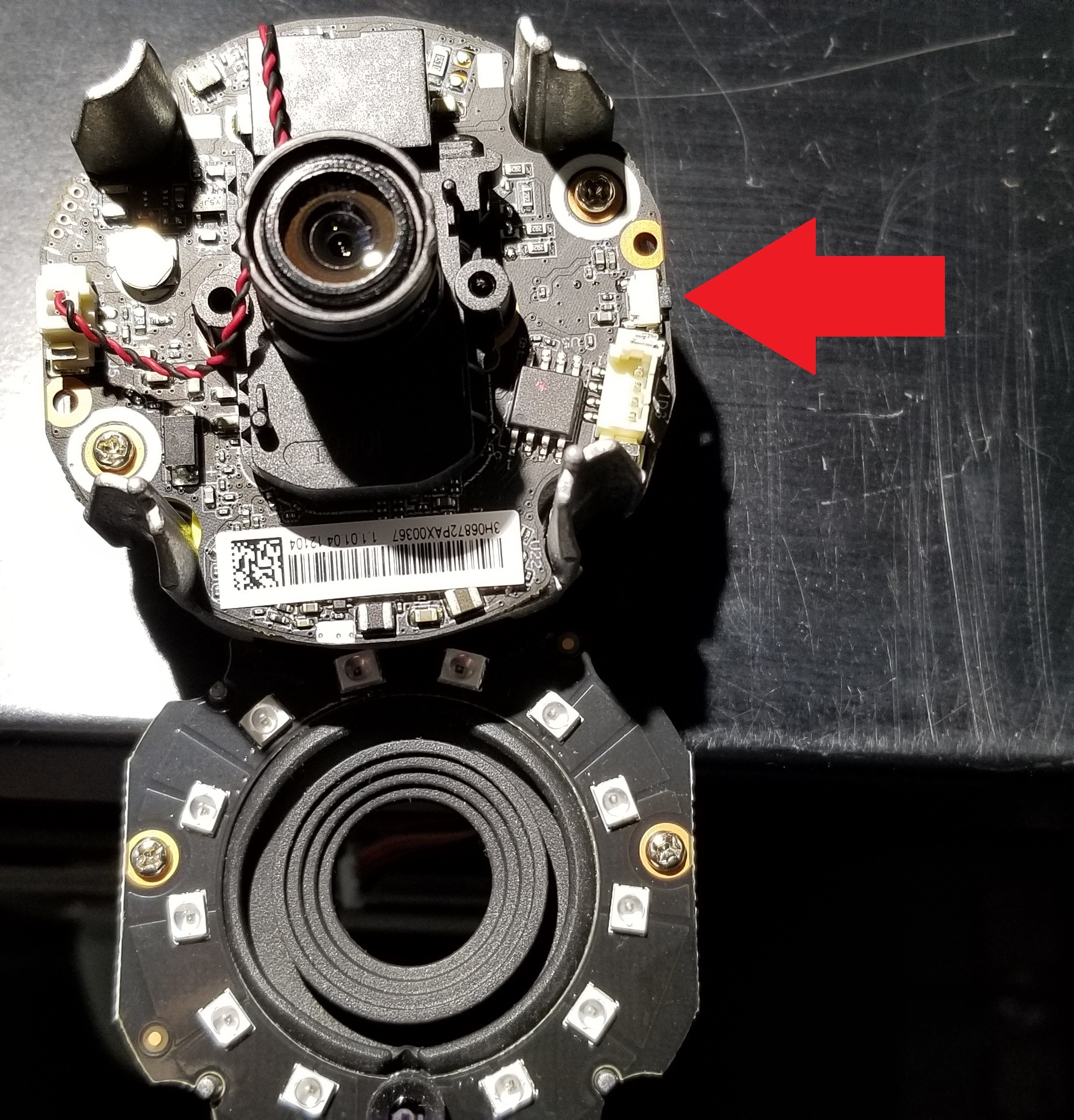
2) Two copper reset points. Bridge these two points with a metal wire to reset.
Still stuck?
Chat with our support assistant at any time, and it can pass you to the support team. Or email us a request. It helps to have these ready:
Our support team answers by email. It helps to have these ready:
Model numberSerial numberFirmware or app versionWhat you have tried