
Removing an IC Home/ Dash Device
You may want to delete a IC Home/ Dash device from your application for various reasons. The device may need to come in for repair and we need you to delete it for testing. You may want to register it to another phone. For whatever reason, you can complete the removal process in 3 steps.
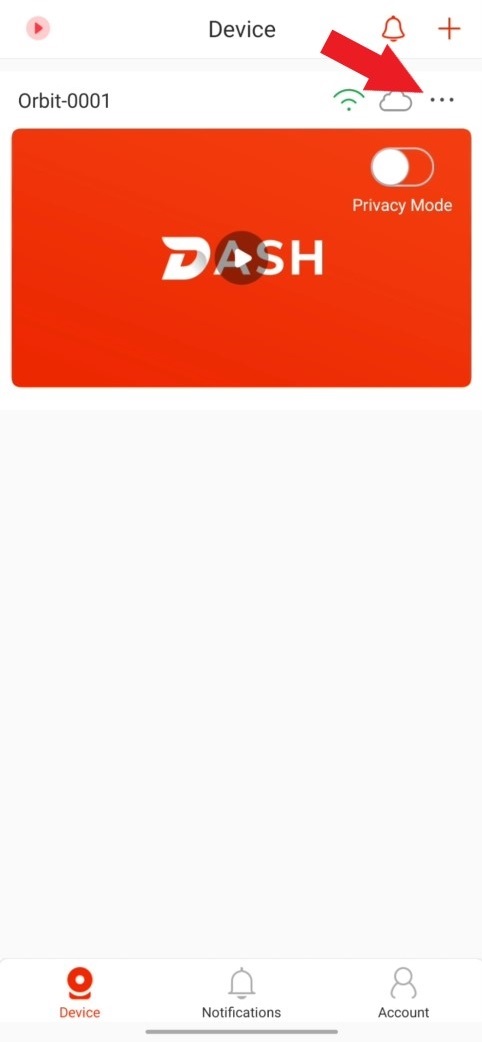
- Select the menu option (...) from the home screen of the app
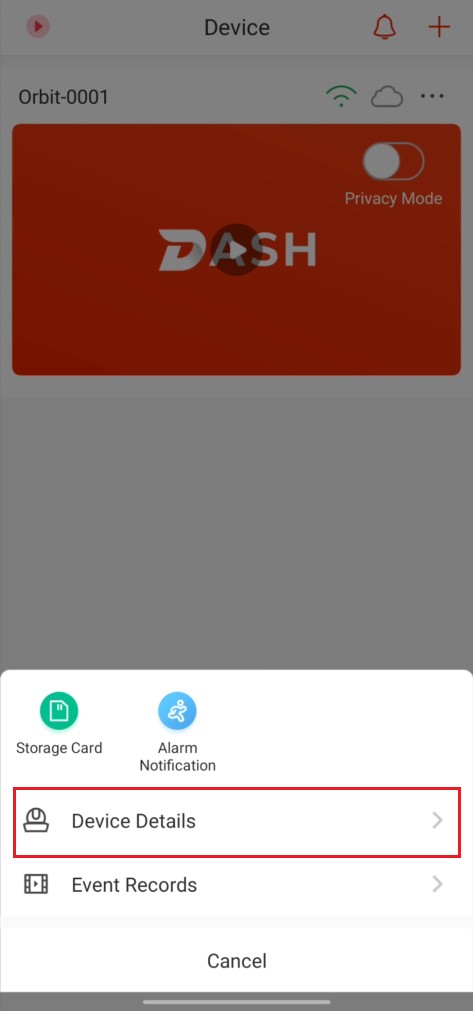
- Tap on Device Details
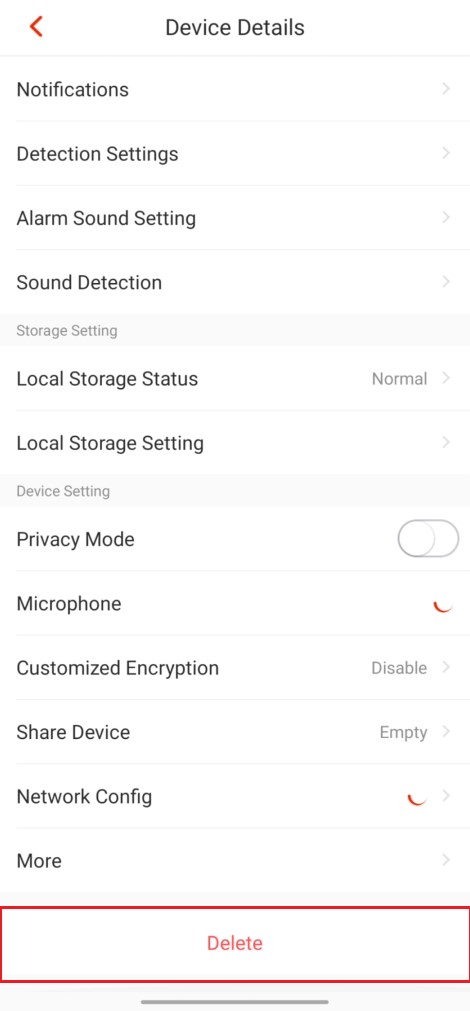
- Scroll to the bottom and select Delete
Step 1
Step 2
Step 3
Still stuck?
Our support team answers by email. It helps to have these ready:
Model numberSerial numberFirmware or app versionWhat you have tried