
Switching Output Formats in AVS camera via DIP Switch and ITM-9000
Introduction
Most IC Realtime AVS cameras will have the ability to switch from AVS HD mode to other modes such as TVI, AHD and CVBS (standard definition). This article will go over the most common ways to switch formats on the cameras.
Table of Contents
DIP Switch
For non-PTZ cameras, the DIP Switch will typically be located in the pigtail of the camera. See image below for DIP switch operation:


Control Cable
Some non PTZ cameras will have a control cable to switch between AVS to CVBS/ SD mode. To switch to CVBS/ SD mode, connect the two wires together. For AVS/ CVI mode, the ensure there is an open circuit between both leads. See image below.

ITM-9000
You can use the IC Realtime's Integrated Mount Tester (ITM-9000) to change formats as well. Note that only ITM-9000-V3 support resolutions 4MP and up while older (non V3) versions do not.
1) Power the AVS camera and attach BNC to the ITM-9000 handheld tester as shown below.
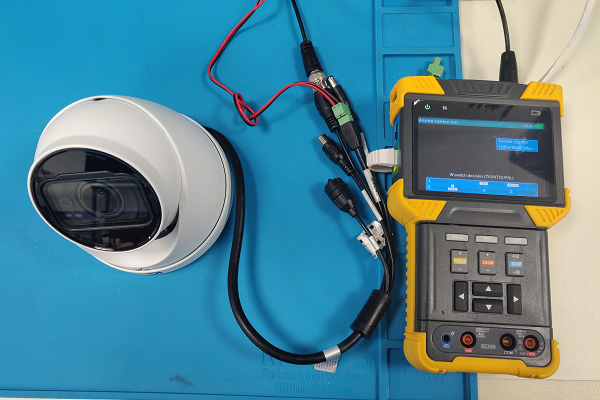
2) On the ITM-9000, press [MODE] and select “Analog Camera Test.” Once you are able to view the camera image, press the "Set" button and verify that the Protocol is set to “ICR Coax” as shown below.

3) Press checkmark icon to open the On Screen Menu. From there, you can change the resolution output and format options of the camera using the directional buttons as shown below.
Still stuck?
Our support team answers by email. It helps to have these ready: